
Social media is now a way of everyday life. We employ it to stay connected with loved ones, post photographs, ideas, and even run our businesses. It keeps us connected yet it also poses dangers. To stay safe on the internet, having awareness of the dangers isn’t quite enough; you require good habits, plain systems, and a little more awareness. This handbook will guide you through common dangers, everyday safety practices, and plain ways of staying safe on the internet.
Is It Threats are Everywhere on Social Sites?
Every time you sign into a social network Facebook, Instagram, Twitter (X), LinkedIn, TikTok, or smaller networks you’re placing yourself at risk. Hackers, identity thieves, “social engineers,” or malicious actors may take advantage of vulnerabilities. Data breaches occur with frightening frequency, single accounts are taken over, impostor accounts abound, and harassment or doxxing can cascade into offline harm. With no defenses in place, your personal information, reputation, and emotional well-being are at risk.
Why We Need "Protection on Social Media" Today
- Data breach & identity theft: Hackers can expose your personal information with mass breaches on sites. It enables them to impersonate you or steal you online identity.
- Harassment & social engineering: Social websites are employed by trolls, impersonators, and stalkers to harass or manipulate you.
- Erosion of privacy & profiling: Programs and websites scrape and recycle information on your activity, usually more than you’re aware.
- Permanence & spread: Once published, content can be shared again, screenshotted, or saved without your control.
In short: guarding yourself on social media isn’t optional anymore it’s required.
This book will assist you in discovering the dangers, erecting sturdy barriers, implementing safe practices, and making strategic choices where and with whom to share. It is addressed to social network websites (where individuals construct profiles, get linked, and exchange), but a few principles are relevant to the whole range. We can start by covering the territory.
7 Types of Risks & Threats on Social Networking Sites
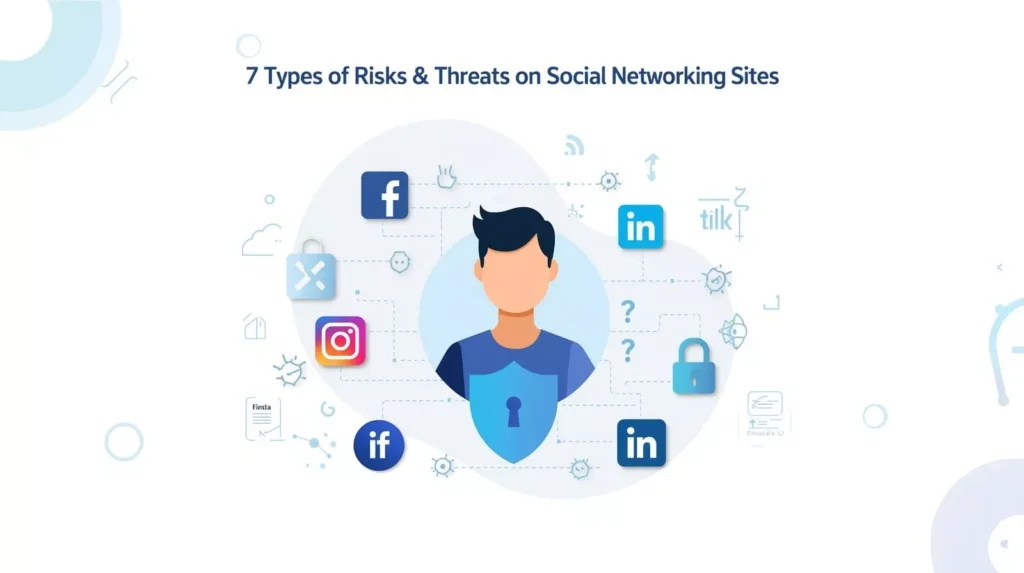
1. Social Networking Site Threat Types
Identity theft / account hijacking
Attackers may hijack your account and use it to impersonate you, send a phishing message, post malicious content, or scrape friends’ information.
Phishing, malicious links, and malware
Scam messages pretending to be a friend or a platform can trick you into clicking on a link to download malware or steal credentials.
Oversharing and harvesting of data
You may share your birthday, first and last name, home or work address, travel itinerary, or pet names convenient bits of personal information that can be gathered and used to profile you or respond to “security questions.”
Fake / cloned profiles
Someone will copy your profile (your pictures, your name) to trick your friends or followers into responding and thus gather personal information or continue scams.
Harassment, stalking, doxxing
Users can harass, stalk, or post your personal or sensitive data (doxxing). Such assaults can spill over into offline threats.
Third-party app vulnerabilities
Social websites typically permit interfacing with quizzes, games, productivity programs, or analysis programs. These third parties can abuse data, be vulnerable, or be malicious in scope.
2. Why Social Media Security is Challenging
Default public settings & data sharing
Most social networks have broad defaults public profiles, open audience settings, and permissions to share information with advertisers and partners. If you don’t alter settings, you might already be overexposed.
"Once posted, always posted" problem
Even if you delete a post, it might still be cached, archived, or saved via screenshots. Other people might have already copied or shared it.
Profiling, data reuse & cross-platform linkage
Platforms and third parties cross-reference information between your accounts (like correlating your Facebook and Instagram), creating a full profile. Your browsing, liking, commenting habits are reused for ads or inferred characteristics.
Unauthorized access / account breaches
Compromised passwords, shared accounts, phishing, or compromised third parties (e.g., a compromise of a server in a social network’s server) can sabotage account takeover. Once an attacker has compromised it, they can tunnel through your friends, private messages, or associated services.
3. Social Network Analysis and its Limitations
You might already be familiar with the term social network analysis (SNA), an analysis technique that investigates how individuals are linked, cooperate, and create networks. Much to our surprise, competitors or interested analysts can perform an equivalent analysis to make assumptions about relationships, identify communities, or find key targets in a network.
A book title “Social Network Analysis 9781473971189” is one of the references in algorithm use to research links, nodes, centrality, and influence in social graphs.
Spammers can map your social graph, learn with whom you’re connected, or attack your best friends based on publicly available network information (e.g. friend lists, follower relationships, memberships of the same groups).
Caveats & limitations:
- Public network data is incomplete and can exclude private connections.
- Algorithms can over-estimate connections two individuals that share groups or friends do not necessarily have a physical-world relationship.
- Ethical and legal boundaries typically cap massive-scale scraping or abuse of network data.
Nonetheless, the existence of structure in a network means what can be determined regarding structure is paramount in maintaining visible relationships and exposure at a minimum. In short: your social graph can be abused by enemies; defending your network is defending yourself.
4. Root Principles for Self-Protection (on Social Networking Sites)
The below are root defenses you need to implement on all your social profiles.
Least is best: restrict personal info disclosed
- Don’t over-share: Don’t post your address, hide on phone number, complete birthdate, finances, ID scans, or travel plans.
- Be wary of personality quizzes, surveys, or “what’s your spirit animal?” apps: Many of these request your mother’s maiden name, school, or pet’s name common security-question answers and always use unique username for social media.
- Minimal profile details: Some basic name, a photo (if you’re comfortable), but don’t fill in every field if not required.
Privacy settings & account controls
Limit visibility: Set you protecting account or portions of it (posts, profile, friend list) to “Friends Only” or “Only Me” whenever possible.
Check tagged posts & timeline settings: Ensure other people’s posts do not display automatically on your timeline.
Turn off geotagging / location features: Deactivate automatic location tagging in posts or photos unless necessary.
Review audience per post: Most sites let you select a smaller audience (e.g. close friends, custom lists) per post.
Strong credentials & authentication
Strong, unique passwords for each account: Employ lengthy, randomly selected phrases never use the same password on numerous accounts.
Password manager: Keep complex passwords in a strong-recommended password manager so you don’t have to remember them.
Enable two-factor (or multi-factor) authentication (2FA/MFA): Utilize SMS-based, authenticator applications, or hardware tokens.
Automated password refreshes (if platform does not require resets): If the appearance of an account is dormant, login and reset solely to maintain its current.
Approach links, apps & friend requests with caution
Avoid opening suspicious links even those from familiar contacts, whose accounts might already be hacked weak account.
Check URLs before inputting credentials: Phishing sites will often copy authentic login pages but are hosted on suspicious domains.
Check third-party apps & revoke permissions from them: Periodically check which apps have access to your account (games, external websites) and revoke those you don’t fully trust from permissions.
Check new friend / follow requests: Particularly those with minimal profile information or shared friends.
Don’t install software initiated through social networks: If you receive requests asking you to install an application or plugin, be extremely careful.
Protect your network & device environment
- Do not log in over public Wi-Fi: If you need to, use an excellent VPN to encrypt communications.
- Update devices: Apply OS, browser, and app patches regularly to prevent known exploits.
- Install anti-virus / anti-malware software: Leave real-time scanning on if you can.
- Turn off “auto login” options: On your browser or applications, don’t save passwords for accounts you cherish.
5. Best Practices, Behavioral & Ongoing Hygiene
Right tools and configurations are only half the war. Your own behavior and habits are more important in the long run.
Post with a delay
- Ask yourself: What would I regret if this post were live tomorrow?
- Don’t post sensitive things in real-time (e.g. “We’re away, house unoccupied,” or “At this particular place at the moment”).
- Share vacations or sensitive events after they’ve happened if you can do so.
Regular audits & self-monitoring
- Search yourself: Internet search and platform search to find out what is publicly available on you.
- Check old posts: Remove or limit access on postings that are now too personal.
- Trim your network / followers: If you do not know or trust a person who is a follower, filter or remove them.
- Deactivate or remove inactive accounts: A prolonged period of inactivity on an unused account can still be an opening.
Report, block, & escalate when needed
Block or unfollow harassers or impersonators.
Report impersonating or abusive accounts or content to platform administrators (there are abuse, impersonation, spam controls on every platform).
If threats move to (stalking, doxxing, extreme harassment), engage local law enforcement with diligent documentation of threats.
Separate personal vs. public personas
Have a private account (with greater privacy) for intimate groups, friends, and family.
Utilize a public/pseudonymous account for wider participation or professional visibility. That way your actual identity and intimate circle remain safe. Don’t completely cross-link accounts that reduces cascading exposure across sites.
6. Contextual & Strategic Considerations
Being safe also involves being thoughtful about where and how much you expose yourself.
Where should you share content most frequently?
This is a trade-off between risk and audience. Ask yourself:
- More control over privacy (e.g. closed groups, disappearing posts, filtering audiences) makes them safer for sharing multiple times.
- For private or confidential content, share on networks that you tightly control (e.g. private Facebook groups, Discord servers, or privacy-focused apps).
- Public areas (e.g. public Twitter, public TikTok) are riskier keep those for less personal stuff.
- Mix up your content: your professional network receives more “business-suitable” updates; your personal group receives peeks into your private life but only what is safe.
Therefore, when determining which social network you need to share most of your content on, select the platform where you can most effectively balance reach and safety a platform where your audience feels at home and privacy controls allow you to restrict viewing.
How Accurate is the Social Network? (Credibility, algorithms, filtering)
Misinformation & algorithmic biases: Algorithm-driven social feeds are biased toward engagement i.e., sensational or polarizing content may be amplified. Believe nothing you read.
- Bot accounts and fake engagement: Follower counts, likes, or “popularity” may be artificially boosted.
- Network data inaccuracy: Connections or inferred interests may be misrepresentations; social graph algorithms are making probabilistic guesses.
- Privacy vs. transparency: Networks will occasionally trade off privacy lines in the name of engagement or targeting towards ads. Criticize what the site says vs. what is actually happening to your information.
Trade-offs & Usability Constraints
- More limiting privacy limits reach: If your profile is closed, new individuals won’t be able to find you.
- Feature trade-offs: Certain integrations (e.g. cross-posting between sites, analytics functions) could involve sharing more information.
- User friction: People will switch to weaker approaches if security is too burdensome. Safety and usability must be achieved simultaneously.
The realistic compromise is to defend most of what is important without presuming zero exposure is possible.
7. Case Examples & Scenarios
The realistic compromise is to defend most of what is important without presuming zero exposure is possible.
Oversharing leads to identity theft
Maria posts the following on Facebook: “Happy birthday to me, April 15, 1987!” along with pictures of her ID (for ID-verification amusement). Criminals braid together her birthdate, full name, and government ID then base their imitation of her, account openings in her name, or security-question guesses upon it. She wished she’d practiced the “least is best” philosophy.
Harassment / Impersonation Scenario
Ahmed’s previous girlfriend sets up a fake profile in his name and pictures, makes inflammatory political status updates, and includes his friends. Ahmed is accused wrongly of having made those inflammatory updates. Ahmed must report impersonation by reporting the site, block the fake account, and warn his friends. He then makes the decision to use a private account for close friends and strict privacy settings for any public exposure.
Social Network Analysis to Triangularine Relations
An attacker leverages visible associations on open social media to deduce who the close friends of Sarah are. Observing User X, Y, Z consistently communicating with Sarah and themselves, the attacker assumes these are Sarah’s inner circle. The attacker then takes on the identity of one of them to get close to Sarah. While not infallible (social network analysis has its limitations), this technique can be used to assist focused social engineering app like social media saga silktest.
Tactical Network Use
Raja maintains two accounts:
- A public professional X and LinkedIn profile, off which he shares industry bits.
- A personal Instagram account he shares with close friends and family, off which he talks about personal updates.
- He doesn’t share live travel alerts; he timelapses posting (once back, he posts travel highlights). He also uses temporary stories instead of static posts for moments from daily life.
- These images teach us how tiny mistakes can result in disastrous outcomes and how intelligent habits can prevent them.
Help for Protect Yourself on Social Networking Sites (Key Takeaways)
Summary of key protection practices:
- Share minimal personal data.
- Use safe passwords + 2FA.
- Adjust privacy settings and check them frequently.
- Be cautious of links, apps, and friend requests.
- Secure your devices and networks.
- Check and update your presence frequently.
- Report abuse, block offender, and escalate extreme threats.
- Strategically choose which networks to share on and what to share.
Final Considerations
Maintaining yourself safely on social media is not a once-and-done task it’s a matter of repetition. Sites change; threats evolve. Safe yesterday won’t be safe today. Your habit, vigilance, and security habit are your best allies.
- Secure your settings, enable 2FA everywhere.
- Choose the social networks that you are most sure of and restrict your presence on riskier ones.
- Practice behavioural self-control: pause to think before posting, blink before clicking, double-check before sharing.
By adopting these habits, you can further enhance your social media security and effectively guard yourself on social media in an age of all-pervasive connectivity.
And who knows? Your next username might be the one people never forget.
Frequently Asked Questions
Yes, 100% safety does not exist, but you can cut risks in half with smart habits, privacy settings, and keeping watch.
“Friends only” or the most limiting custom setting is likely to be safest. But you need to customize settings by platform and check them periodically.
Use unique, strong passwords + 2FA; stay away from phishing links; update programs. Limit third-party apps and watch account sessions.
This varies by location. In most places, data privacy laws (e.g. GDPR in Europe, CCPA in California) govern the way platforms treat user information. Platform terms of service, consumer law, and cybercrime statutes may also come into play.
Cut back on what you post, use privacy settings, don’t link accounts where you don’t need to, and periodically delete or archive sensitive content.
- How do you keep yourself safe on social media?
- Limit personal data
- Use strong auth
- Review apps & permissions
- Block/report abuse
- Keep public & private personas separate
- Be cautious when sharinga.
Generate random, memorable passphrases to protect your online accounts. Built for security and privacy no data logs, no tracking, just safe generation.




