
Passphrases are created offline no tracking, no cloud storage.
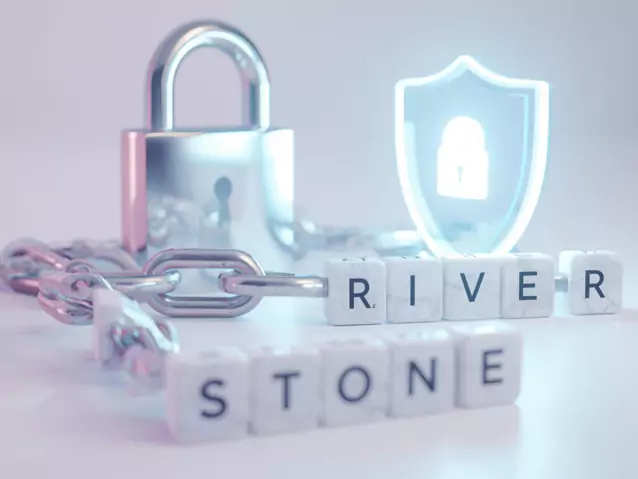
A passphrase is a sequence of words used to secure an account or device. A passphrase usually comprises several memorable words that together create a longer, more secure phrase, unlike conventional passwords, which often depend on random letters, numbers, and characters. This makes it simpler to memorize without endangering safety.
The Diceware method is one well-known approach for generating safe passphrases. Rolling dice creates a diceware passphrase by randomly choosing words from a predetermined list. Highly unpredictable, random word combinations resistant to brute-force assaults result from this process.
Since passphrases are usually longer, ranging from 12 to 20 characters, they are far more robust against brute-force assaults. They are infinitely safer than shorter, complex passwords because of their longer length.
Familiar words in a series, such as Blue Elephant River or Silent Mountain Echo, are far simpler to remember than a mishmash of haphazard characters. This decreases the propensity to reuse passwords across sites or write them down unsafely.
Our passphrase password generator provides several capabilities aimed at facilitating easy and flexible development of good passphrases:

Ensuring every passphrase is distinct and unexpected, the random passphrase generator chooses words at random from a large word list.

Select among 3 to 8 words according to your security needs. Our tool adjusts to your demands, whether you want a brief, unforgettable phrase or a highly secure one.

Pick separating characters, space, dash, or underscore, easily. This lets you customize your password for several systems or personal tastes.

Include numbers or symbols in your password to increase complexity even further and so increase hack resistance.

Save your created passphrase for future use or rapidly paste it to your clipboard. This simplifies the procedure of safely preserving your passwords free of inconvenience.

See a real-time look at your passphrase before you decide. You can also personally modify the produced passphrase to suit your own demands, guaranteeing it matches your individual requirements.
It is easy to generate a secure yet memorable passphrase with our tool. First, select the number of words you would like, typically between 3 and 8 for the best combination of security and memorability. Adjust the length to fit your needs. Next, select whether or not to include numbers or symbols for increased complexity.
Just flip the options on to enable these add-ons. Once you install the configuration, click the generate button and let the tool provide you with a random-word passphrase. You can then copy and save it safely. Having a passphrase instead of a regular password provides greater security with less memory inconvenience.
Our passphrase generator is designed to make it easy to create secure, easy-to-remember passwords that are easy to customize. It picks words randomly from a huge dictionary so that every one of the passphrases generated will be unique and safe.
The utility is also highly flexible in that you can personalize each passphrase to your liking. Its user-friendly interface allows one, even a newcomer, as well as veteran users, to easily generate and utilize good passphrases.
The root of our password generator lies in the functionality to select random words from a very large database. All this randomness makes each passphrase distinct and difficult for the attacker to predict.
Our passphrase allows you to customize the passphrase length to 3 to 8 words. Shorter passphrases of about 3-4 words are easier to remember and best suited to less secure accounts, and longer passphrases (6-8 words) are better secured for security-sensitive accounts like banking or professional services.
To follow various password policies, our password generator lets the separators between words. For instance, “correct-horse-battery” or “correct horse battery.” Separators are helpful when it is easier to read and remember the passphrase, especially if you need to type it out repeatedly.
Making strong passphrases is quite easy, but using them is as tough. Always try using at least four or five random words for your passphrase, as this makes an equal balance between security and easy recall.
Do not use personal names, birthdays, or any simple sayings that could serve as clues to you; instead, focus on choosing words that are unrelated and reveal nothing about you. After generating it, store it in a safe manner within a good password manager; never get it noted in an insecure place. Strong and unique passphrases for every single account reduce the chance of unauthorized access and thus promote your online security.
Get answers to common questions about Passphrase password generator tool.
Considered very secure is a passphrase with six to eight randomly chosen words, combined with numbers or symbols.
Usually, 4–5 words provide a good balance of memorability and security; more words boost strength.
Yes. Usually longer, simpler to recall, and more resilient to brute-force attacks than conventional passwords, passphrases are typically so.
Certainly, especially if produced using a dependable tool, strong, original passphrases are appropriate for protecting sensitive accounts like banking and email.